How to Route PCB Traces: A Beginner Guide to Routing & Width
Calculate PCB trace width with the IPC-2221 formula: a 1 mm trace on 1 oz copper carries 2.4 A at 10°C. Spacing tables, 90° myth busted, and routing workflow for beginners.
Get Your PCB Quote!

Table of Contents
- Apa itu jalur PCB dan mengapa lebarnya penting?
- Cara menghitung lebar jejak PCB
- IPC-2221 vs IPC-2152: mengapa kalkulatornya berbeda pendapat
- Lebar jejak vs arus: tabel referensi
- Jejak jarak dan celah
- Aturan perutean yang benar-benar penting
- Ketika lebar saja tidak cukup: impedansi dan sinyal kecepatan tinggi
- Pertanyaan yang Sering Diajukan
- Kesimpulan
Table of Contents
- Apa itu jalur PCB dan mengapa lebarnya penting?
- Cara menghitung lebar jejak PCB
- IPC-2221 vs IPC-2152: mengapa kalkulatornya berbeda pendapat
- Lebar jejak vs arus: tabel referensi
- Jejak jarak dan celah
- Aturan perutean yang benar-benar penting
- Ketika lebar saja tidak cukup: impedansi dan sinyal kecepatan tinggi
- Pertanyaan yang Sering Diajukan
- Kesimpulan
Quick Specs
| Trace width formula | IPC-2221: I = k × ΔT^0.44 × A^0.725 (k = 0.048 external, 0.024 internal) |
| Standard copper weight | 1 oz (35 µm, about 1.4 mil finished thickness) |
| Minimum trace width/space | 4 mil (0.10mm) standard; 3 mil for HDI-tier builds |
| Minimum external spacing | 0.6mm uncoated (31–100V), 0.13mm solder-mask coated, at 100V or less (IPC-2221C Table 6-1) |
| 50Ω microstrip (4-layer FR-4) | Roughly 4–6 mil (0.10–0.15mm), stackup-dependent |
| Governing standards | IPC-2221C (2023) for design; IPC-2152 (2009) for current capacity |
A PCB trace’s width is set by three things—the current it must carry, the copper weight of the layer, and the temperature rise you can tolerate—plus a fourth for high-speed signals: the impedance your stackup requires. Route in this order: power and ground first at widths from the IPC-2221 calculation, then critical signals, then everything else. This guide walks you through the actual math, the spacing numbers, and the routing rules that genuinely matter, so your first board is sized by physics instead of folklore.
Key Takeaways
- A 1 mm trace on 1 oz copper carries about 2.4 A at a 10°C rise per the IPC-2221 formula; a 0.25mm trace carries about 0.9 A. Internal-layer traces carry half of that.
- Modern calculators lean on IPC-2152, which typically allows 1.5–2× narrower traces than the legacy formula—a real source disagreement, not a rounding error.
- Minimum spacing is 0.1mm (4 mil) for internal conductors, but external uncoated traces at 31–100V need 0.6mm unless solder-mask coated (0.13mm).
- The 90° corner rule is mostly myth below GHz: a corner adds roughly 50 fF and matters only for fast-edge signals. Route 45° for neatness, not fear.
- If a signal needs 50Ω, the stackup sets the impedance; trace width only fine-tunes it. Verify with your fabricator’s stackup, not a rule of thumb.
What is a PCB trace and why width matters

A PCB trace is a copper pathway etched onto the board that carries electrical signals and power between components. Its two geometric properties are width and thickness. Thickness is not your design choice—it is set by the copper weight you specify, with 1 oz copper (35 µm, about 1.4 mil finished) being the standard default. Width is your variable, and it is the single most important dimension you control when routing.
Width matters for three reasons, in this order of severity:
- Current capacity.A trace is a resistor. Too little cross-section for the current, and the trace heats up, degrades the laminate, and eventually opens. This is a reliability failure, not a cosmetic one.
- Voltage and safety spacing.Traces that sit too close together can arc or track across the surface, which is why the clearance rules in IPC-2221C scale with voltage difference.
- Impedance and signal integrity.For fast signals, the trace is part of a transmission line, and its width relative to the dielectric height determines the impedance. This only matters once your edges are fast—more on that in the impedance section below.
There is no single “ideal” trace width. There is a width that carries your current at an acceptable temperature rise, and a width that hits your impedance target. Both are computable, and both are covered here. If you need the copper-weight fundamentals first, our guide to 1 oz copper explains how thickness is specified and finished.
How to calculate PCB trace width
(yellow PCB routing)
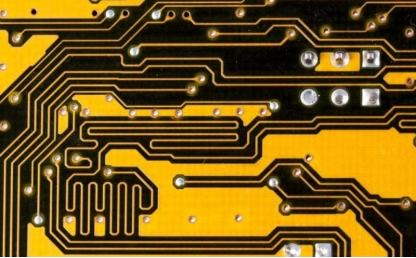
The current capacity of a trace is governed by IPC-2221, the generic standard on printed board design (current revision IPC-2221C, published December 2023). The standard gives an empirical formula that relates cross-sectional area, current, and temperature rise:
I = k × ΔT^0.44 × A^0.725
- I = current in amps
- ΔT = allowed temperature rise in °C above ambient
- A = copper cross-sectional area in square mils (width × thickness)
- k = 0.048 for external (outer) layers, 0.024 for internal layers
The formula is a curve fit to decades of industry test data, which is why it has odd exponents. You do not need to memorize it—you need to know it exists, that it gives different answers for internal and external layers, and that you can check any calculator’s output against it.
📐 Engineering Note
A 1 mm trace on a 1 oz external layer is 39.4 mil wide and about 1.4 mil thick, so its cross-section is 54.3 mil². At a 10°C temperature rise:
I = 0.048 × 10^0.44 × 54.3^0.725 ≈ 0.048 × 2.75 × 18.1 ≈ 2.4 A
The same trace on an internal layer (k = 0.024) carries half that—about 1.2 A—because internal copper has no airflow and no surface to shed heat into. This is the single most overlooked detail in trace sizing: an internal power trace needs roughly double the width of an external one for the same current.
To reverse the formula and find the width you need: A = (I ÷ (k × ΔT^0.44))^(1/0.725), then divide the area by the copper thickness. For example, 3 A at a 10°C rise on 1 oz external copper needs about 74 mil² ÷ 1.4 mil ≈ 53 mil, or about 1.4mm—wider than the “just under 1 mm” that casual rules of thumb suggest.
For a deeper walkthrough of the calculation and the design rules around it, see our guide on how to calculate PCB trace width in detail.
Need PCB Manufacturing or Assembly?
Get a free quote within 24 hours. We specialize in prototype-to-production PCB/PCBA for hardware teams worldwide.
IPC-2221 vs IPC-2152: why the calculators disagree
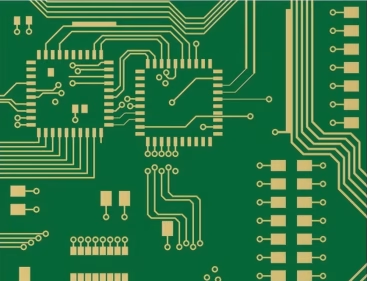
If you run the same trace through different online calculators, you will get different current ratings—sometimes by a factor of two. That is not one calculator being wrong. It is two standards disagreeing.
IPC-2221’s formula assumes a bare trace cooling into still air, with no adjacent copper to help. IPC-2152, published in 2009 as the Standard for Determining Current-Carrying Capacity in Printed Board Design, is built on a modern test program that accounts for what actually happens on a real board: adjacent power and ground planes act as heat sinks, board thickness and layer count change heat spreading, and airflow or enclosure cooling changes the picture entirely.
The practical consequence: for the same trace and temperature rise, IPC-2152 typically allows a trace 1.5–2× narrower than the IPC-2221 formula. Most modern calculators lean on IPC-2152-style modeling, which is why they return higher numbers than the old formula.
Here is the decision framework, rather than an argument about which standard is “right”:
- Use the conservative IPC-2221 figurewhen your trace runs on a dense board with no plane underneath it, no airflow, and no way to shed heat—or when a failure would be expensive. The cost of a slightly wider trace is cents; the cost of a thermally stressed trace is a field failure.
- Trust IPC-2152-style numberswhen the trace is near a solid power or ground plane, the board has any airflow or enclosure cooling, and the calculator’s assumptions match your reality.
⚠️ Important
When in doubt as a beginner, size for the conservative number. Every online calculator lets you pick the standard and the temperature rise—choose a 10°C rise and the IPC-2221 external-layer option for power traces, and you will never be embarrassed by an overheated board. The difference between 2.4 A and 4 A on a 1 mm trace rarely changes your layout; the difference between a working board and a burnt trace does.

Trace width vs current: a reference table
The table below is the quick answer for the most common beginner case: 1 oz copper, external layer, 10°C temperature rise, sized with the IPC-2221 formula. Keep it as a starting point, not a final answer—raise the temperature-rise limit or move to IPC-2152 assumptions and every number goes up.
| Trace width | Current at 1 oz, external, 10°C rise (IPC-2221) |
| 0.2mm (8 mil) | about 0.7 A |
| 0.25mm (10 mil) | about 0.9 A |
| 0.5mm (20 mil) | about 1.5 A |
| 1mm (40 mil) | about 2.4 A |
| 2mm (79 mil) | about 4.0 A |
| 3mm (118 mil) | about 5.3 A |
Two levers let you carry more current without always going wider:
- Thicker copper.Doubling the copper weight to 2 oz doubles the cross-section, which raises current capacity by roughly 65% at the same width—a 1 mm, 2 oz trace carries about 3.9 A instead of 2.4 A. This is the standard trick for power designs, and our 2 oz copper guide covers it. For genuinely high-current boards, 4 oz copper is where heavy-copper design rules start to apply.
- A higher allowed temperature rise.Raising ΔT from 10°C to 20°C multiplies capacity by 2^0.44, about 1.36×. Useful for hobby boards, but remember the heat has to go somewhere.
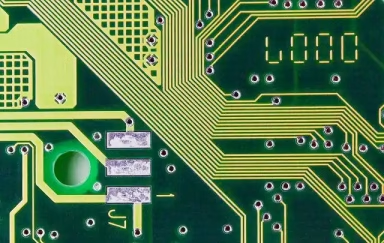
Two common beginner mistakes deserve a direct callout. First, treating the trace like a wire you can always thicken: a 0.25mm signal trace carrying 0.9 A is fine, but the same trace on an internal layer carries half that, and designers who route power on internal layers at signal widths are the reason boards smell like burning laminate. Second, confusing trace thickness with trace width—the “pcb trace thickness” people search for is actually copper weight, which is specified per layer, not per trace.
Trace spacing and clearance
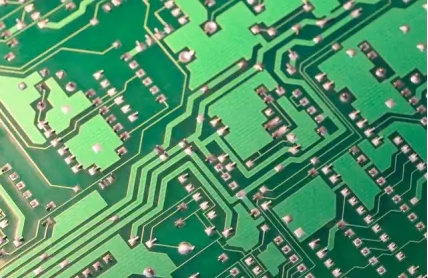
“Don’t crowd your traces” is the weakest sentence in most routing guides. The actual requirement is a table. IPC-2221C Table 6-1 defines minimum conductor spacing by voltage difference, layer location, and whether the copper is coated. The values that matter for a beginner board:
| Condition | Minimum spacing (100V or less) |
| Internal conductors | 0.1mm (4 mil) |
| External, uncoated | 0.6mm (24 mil) |
| External, solder-mask coated | 0.13mm (5 mil) |
At 101–300V the numbers step up hard: internal conductors need 0.2mm, external uncoated need 1.25mm, and coated external need 0.4mm. IPC-2221C, published in December 2023, also added formal Comparative Tracking Index (CTI) material groups that feed into creepage calculations for higher-voltage designs.
What this means in practice for a typical low-voltage digital board:
- Almost every external trace is solder-mask coated, so 5–6 mil spacing is legitimate at 100V or less. This is why your design rule for signal spacing is usually set at 6 mil (0.15mm), not 24 mil.
- The 0.6mm uncoated figure bites when you have bare copper—exposed pours, castellated edges, or uncoated pads near high-voltage nets. If solder mask is missing or cut back, spacing that passed at 6 mil can arc.
Spacing is a safety and reliability rule, not a style preference. It prevents both arcing between conductors and conductive anodic filament (CAF) growth, a failure mode where copper migrates through the laminate along glass fibers under voltage bias and humidity.

About OrinewPCB
Time is money in your projects – and OrinewPCB gets it. OrinewPCB is a PCB assembly company that delivers fast, flawless results every time. Our comprehensive PCB assembly services include expert engineering support at every step, ensuring top quality in every board. As a leading PCB assembly manufacturer, we provide a one-stop solution that streamlines your supply chain. Partner with our advanced PCB prototype factory for quick turnarounds and superior results you can trust.
Routing rules that actually matter
The routing advice below is deliberately short, because most of what fills beginner guides is either obvious or wrong. These are the rules that change outcomes.

The 90° corner rule is mostly myth below GHz
Here is the correction most articles never make: sharp 90° corners are not a real problem for the reasons usually given. The “acid trap” concern—etchant pooling in sharp inside corners—applies to legacy silk-screen and ferric chloride etching from decades ago. Modern photo-resist etching and conveyorized spray etchers do not have this issue. And the impedance concern is overblown: simulations and measurements, summarized by Eric Bogatin in Practical Guide to Prototype Breadboard and PCB Design (2021), put the excess capacitance of a 90° corner at roughly 50 fF—negligible for reflections until you are in the multi-GHz range with sub-nanosecond edges. Altium’s analysis of the routing angle debate reaches the same verdict: 45° is good practice, not a functional requirement, for most designs.
Use 45° corners or arcs because they look clean and cost nothing. But if an autorouter or a tight space gives you a 90° corner on a slow signal, it will not break your board. Spend your worry budget on current capacity, which actually fails.
Route power and ground first, then signals
Order your routing by consequence, not convenience: power and ground traces first (they carry the current and set the noise floor), then critical signals, then everything else. For ground, a solid plane beats any number of fat traces—a plane is the lowest-impedance return path available and it suppresses the EMI that traces acting as antennas would otherwise radiate. If you are on a 2-layer board, dedicate as much of one side to ground as you can and stitch it with vias.
Keep return paths short and uninterrupted
Every signal is a loop: out on the trace, back through the ground. A signal trace routed over a split or missing ground plane forms a large loop that radiates and picks up noise. Keep critical traces directly over solid ground, keep them short, and avoid routing them over plane cuts. When you must change layers, place the via so the return current can follow through a nearby ground via.
📐 Engineering Note
The interaction between copper weight and fine geometry is where designs actually fail. On a recent PCBAndAssembly order, our DFM review caught a customer who carried 6 mil trace/space from a previous 1 oz design onto a new 6 oz heavy-copper board. That geometry does not etch reliably at 6 oz—the fine spaces between traces under-etch and short, or over-etch and open. The board would have come back as scrapped panels at best, and intermittent failures at worst. The fix was widening the minimum trace/space to the capability the copper weight actually supports, at zero cost because the DFM review happened before tooling, not after. If you are moving a design to a heavier copper weight, re-check every fine-geometry rule against the new capability before you send it.
When width isn’t enough: impedance and high-speed signals
Once your signals have fast edges—USB, Ethernet, DDR, HDMI, anything with a rise time under a couple of nanoseconds—trace width stops being about current and starts being about impedance. A trace becomes a transmission line, and its characteristic impedance is set mostly by the stackup: the dielectric height between the trace and the reference plane, and the material’s dielectric constant. Width is the fine-tune.
For a standard 4-layer FR-4 stackup (0.062 in total, 1 oz outer copper, roughly 4 mil of prepreg between the outer layer and the plane below, Dk around 4.2–4.3), a 50Ω single-ended microstrip lands at roughly 4–6 mil (0.10–0.15mm), and a 100Ω differential pair lands around 5 mil traces with 6 mil spacing.
These are typical ranges, not guarantees—change the dielectric height and the target width moves significantly, which is why the honest rule is: your impedance comes from the stackup, so get an impedance-controlled stackup from your fabricator and let the width follow.
Three beginner-appropriate rules for high-speed routing:
- Match lengths for parallel buses and differential pairs.Skew between signals that must arrive together corrupts the data. Route matched-length groups together.
- Keep critical signals away from board edges and other noisy traces.Edges are where external noise couples in.
- Do not splice an impedance-controlled trace with a random-width stub.A 50Ω trace that suddenly narrows to 8 mil for a few millimeters creates a reflection at the transition. Keep the width continuous for the whole run.
If your board is all slow signals, skip this section and remember it exists—impedance is not a beginner problem until your edges are fast.
Frequently Asked Questions
Q: What is the ideal PCB trace width?
There is no single ideal width—it depends on current, copper weight, temperature rise, and (for fast signals) impedance. A common starting point is 0.25mm (10 mil) for signal traces and 1mm or wider for power, but the right answer comes from the IPC-2221 formula: 0.25mm carries about 0.9 A and 1mm carries about 2.4 A on 1 oz external copper at a 10°C rise.
Q: How much current can a 1 mm PCB trace carry?
On 1 oz copper, external layer, at a 10°C temperature rise, about 2.4 A per the IPC-2221 formula. The same trace on an internal layer carries about 1.2 A, and on 2 oz copper it carries about 3.9 A. IPC-2152-based calculators will show higher values because they assume plane cooling and airflow.
Q: Are 90-degree trace corners really a problem?
Not for most designs. The acid-trap concern applies to legacy etching processes, and the impedance effect is roughly 50 fF per corner—negligible below multi-GHz edge rates. 45° corners are best practice for neatness and high-speed runs, but a 90° corner on a slow signal will not break your board.
Q: What is the minimum trace spacing on a PCB?
Per IPC-2221C Table 6-1, internal conductors need 0.1mm (4 mil) at 100V or less; external uncoated conductors need 0.6mm (31–100V); external solder-mask coated conductors need 0.13mm (5 mil). At 101–300V, external uncoated spacing steps up to 1.25mm. Most design rules set signal spacing at 6 mil (0.15mm), which is safe for coated low-voltage boards.
Q: Should I use a wider trace or a thicker copper layer?
Thicker copper is usually the better answer for high-current boards. Doubling from 1 oz to 2 oz raises current capacity about 65% at the same width, without consuming routing space. Wider traces work too but eat board area and can force a bigger board. Note that very heavy copper (4 oz and up) changes fine-geometry limits, so re-verify minimum trace/space with your fabricator.
Q: When does a PCB trace need impedance control?
When the signal edges are fast—roughly a rise time under 2 ns, which covers USB, Ethernet, DDR, HDMI, and RF. Impedance is set primarily by the stackup (dielectric height and material), with width as the fine-tune. Below that threshold, current capacity and spacing rules are what actually matter.
Conclusion
Routing a PCB comes down to sizing traces by physics instead of folklore: width from the current it must carry (the IPC-2221 formula and its IPC-2152 alternative), spacing from the voltage it must withstand (IPC-2221C Table 6-1), and impedance from the stackup when edges are fast. Add the order-of-operations habit—power and ground first, critical signals manually, everything else after—and you have everything a beginner actually needs to route a trace reliably.
The rules that fail are the ones repeated without numbers: “wider is better,” “never use 90°,” “keep traces short.” This guide replaced each with a checkable figure, and the ones worth memorizing are few: 1 mm on 1 oz external carries about 2.4 A at 10°C; internal traces carry half; external spacing needs 0.6mm uncoated (31–100V) or 0.13mm coated. When you are ready to send the design out, upload your Gerbers and we will run a free DFM review that checks trace width, spacing, and copper weight against our actual manufacturing capability before you commit to tooling—the same catch that saved the 6 oz board above.

Get Quote Free